




In college, live audio chat rooms are the fastest way to study, network, and host club meetups without camera pressure or heavy bandwidth. This 2026 guide shows you exactly how to join, speak, and host confidently on your campus. You’ll get tools, pitfalls, and a one‑week action plan so you can start now. Download Free on Android → to get started. Then set up your profile so hosts can accommodate you, and make sure your details reflect your campus identity. Finally, test your notification settings so you don’t miss your own scheduled start time.
Choose, signal, and explore live audio chat rooms
- Pick a platform for your goal
First, match the tool to the task. For pure study focus, choose a platform with study halls and hand‑raise controls. For social hangs, go where your campus clubs already meet.
For networking, pick rooms tied to your major or industry speakers. Add one criterion up front: if your classmates already show up there, start there, even if another app has shinier features. Ask three classmates what they use. Go with the most common answer for the first two weeks.
- Set up a profile that signals your campus and interests
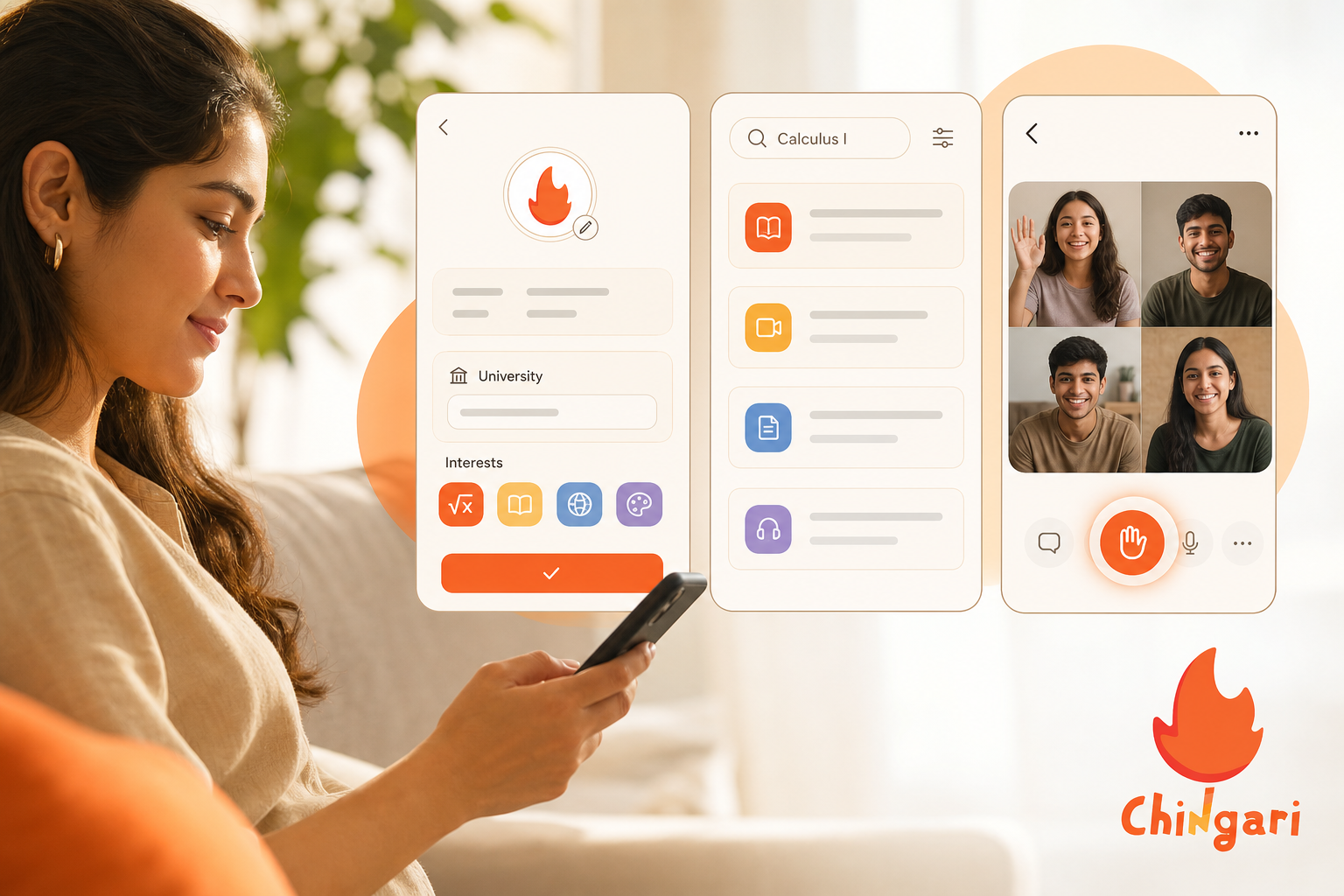
Second, add your university, year, major, and 3–5 tags like “Data Sci,” “Chem 101,” or “Open Mic.” Moreover, add a clear headshot or your college logo. As a result, mods know you’re a real student, not a spam account. A tight bio helps hosts invite you up faster and helps peers decide to follow you after a solid contribution. Consider pinning a short note or link to a shared doc where you collect recaps so your credibility compounds.
Add one line that flags your current focus. For example: “Spring ’26: Algorithms II + Student Union events.” This tiny update helps hosts route questions to you and helps peers find you when your topics align that week.
- Browse or search topic‑based rooms
Third, search by course code, club name, or event tag. For example, try “BIO110,” “MUN debate,” or “internship Q&A.” Moreover, follow hosts who run rooms you like. Therefore, you’ll see their next sessions in your feed. Skim pinned notes and the current agenda before tapping “raise hand” so you can align with the room’s flow. If a room lacks pins, politely ask, “Could we pin the agenda?” That nudge often improves everyone’s experience.
Quick scan checklist before you speak:
- Title aligns with your course or club.
- Pinned agenda exists, or ask for one.
- Hand‑raise rules are clear in bio or pins.
- Audio quality is stable for at least one speaker.
Speak up in live audio chat rooms without derailing
- Listen first, then raise your hand
Fourth, join on mute. Listen for 2–5 minutes. Note the flow, rules, and current question. Then raise your hand with one crisp point.
In addition, jot a 10‑second note before you speak. You’ll sound clear and helpful. Extra tip: Begin with context (“For ECON 101 Section B…”). State your point. Then stop.
Hosts love concise speakers and will invite you back. If you’re nervous, write your opener verbatim (“One sentence on l’Hôpital’s rule…”). Take a breath.
Deliver it slowly, and let the host guide follow‑ups. If you notice someone else is struggling to speak or find their words, offer to summarize your point in one line and yield the mic. That generosity builds your reputation.
Host live audio chat rooms like a pro on day one
- Host your own room with a clear topic and time
Fifth, pick a tight theme and a plan. ” Add a brief agenda: 5‑minute warm‑up, 25‑minute work block, 10‑minute Q&A. Therefore, people know what to expect.
Share one specific outcome (“Leave with 2 solved problems + 1 mnemonic”) so joiners feel the win. Draft two or three icebreaker prompts (“Name one formula you always forget”). These kickstart participation if the room starts quiet.
If your topic is unfamiliar to some, pin a 60‑second primer. A simple definition or formula list reduces hesitation. It also prevents repeat questions later.
- Promote via campus group chats
Sixth, share the room link in your dorm WhatsApp, your club Discord, and your class forum. Moreover, post at two times: when you schedule and 15 minutes before go‑time. As a result, you catch both planners and last‑minute joiners. If your class uses a learning management system, drop the link in the discussion board with your agenda so it lives beyond chat scrollback.
Furthermore, record a single takeaway note after each session. Over a week, you’ll build a mini knowledge base. That habit makes your next room easier to run and easier to join. Pin the previous session’s one‑liner at the top so newcomers see momentum. If your room is recurring, end with a teaser (“Next Friday: implicit differentiation”) to keep the cadence sticky.
Pre-room checklist for live audio chat rooms (2 minutes)
- Test your mic and switch to headphones to cut echo.
- Pin your three rules and the agenda before people arrive.
- Prepare a one-line opener and a one-line closer with next steps.
- Queue one example problem or prompt to kick off discussion.
- Decide on hand-raise criteria: first-come, or topic-relevant prioritization.
- Invite a co-host who knows the topic or can manage mics and links.
- Optional: Create a short form (name + class + one goal) to pin for late joiners.
- Check your environment: quiet space, stable connection, and a backup hotspot plan.
- Preload links you intend to pin (Docs, slides, problem sets) so you’re not searching live.
Pro move: Create a reusable “room kit” note on your phone with your opener, rules, and links. Copy‑paste, tweak the title, and you’re ready in under a minute.
Get the iOS app free today →
Avoid these live audio chat room rookie mistakes (and quick fixes)
-
Joining random rooms without checking the topic. It’s tempting to jump into whatever is live, but wandering into unfocused chats burns time and attention. Read the title and skim pins before committing, and take a quick look at who is speaking to confirm the topic matches your need. If there’s no clear theme or the speaker lineup doesn’t align with your course or club, exit without guilt. Add a 60‑second filter for yourself: if you can’t summarize the room’s goal after a minute, move on and try another.
-
Speaking before listening. Contributing without context can derail a helpful thread or cause repetition. Give the room two full minutes, write your point in one tight sentence, and then ask, “Is now a good time to jump in on [topic]?” This both respects the host’s structure and usually earns you a clear, timely invite to speak. If a similar point was already covered, the host can point you to the recap or ask you to add a new angle.
Listen for rules, then add value in one sentence. It’s the fastest path to the stage and to repeat invites.
- Ignoring time zones for study groups. Coordinating across campuses or with international classmates is a common win, but mismatched time zones create no‑show chaos. Put the time zone in the title (“7:30 PM IST” or “8:00 PM EST”) and, when possible, mirror the session 12 hours later for global teammates.
Double‑check your campus’s default in the LMS. Some tools shift time zones automatically in unpredictable ways. A pinned time‑zone converter link also helps first‑timers calibrate.
- Not setting ground rules when hosting. Without rules, even well‑meaning rooms drift or get dominated by a few voices. Pin three rules, “Stay on topic,” “Mute on join,” and “2‑minute turns”, and read them in your opener so expectations are explicit. Appoint a co‑host to triage hand‑raises and manage links while you focus on content. Repeat your enforcement line gently (“I’m going to move us along to keep it fair”) so the culture stays kind and firm.

-
Treating audio rooms like texting, multitasking too hard to follow. Audio requires presence; tab‑hopping leads to missed context and awkward repeats. Close extra tabs, put your phone face‑down when speaking, and use a simple 25/5 timer, 25 minutes of focus, 5 minutes of chat, to protect attention. If you need to step away, drop a quick “BRB” in chat, then rejoin quietly on mute and catch up via the pins. This rhythm makes study halls feel respectful and effective.
-
Not closing the loop on action items. A great conversation still fails if no one knows the next step. End each room with a 30‑second summary of who will do what by when and where the notes will live. Pin that summary and repeat it aloud before closing so late joiners don’t miss it. This habit compounds trust and makes your next session start faster.
Keep rooms short. Forty to sixty minutes beats a two‑hour ramble. End on a win, and people return next time.
Finally, write a one‑line recap after each session. Over time, those lines turn into a cheat sheet you’ll thank yourself for during finals. If you maintain a shared doc, add timestamps or headings that match your room titles for easy scanning. Consider color‑coding by course or week number to make revision fast.
Best Platforms and Tools for Student Live Audio Chat Rooms
Picking tools feels big, yet your needs are simple: free access, mobile‑friendly, solid moderation, and language support. In 2026, several platforms check those boxes. Try two and stick with the one your circles actually use. If you want more background on the medium, the social audio entry on Wikipedia gives useful context (see link above).
For convenience, here’s the reference: read more about social audio on Wikipedia.
Moreover, look at room controls: hand‑raise, speaker invites, mute‑all, and pinned notes. Furthermore, check privacy: can you make private rooms for 3–5 friends? In addition, scan for language options if your campus is multilingual or you want to host in more than one tongue.
Finally, confirm whether recordings are local or cloud‑stored and who owns them. This matters if you plan to share recaps publicly. Battery impact and background‑play support also matter if you study on the move.
Quick tool‑screening sprint (5 minutes):
- Open each app and create a test room.
- Locate hand‑raise, mute‑all, and pin functions.
- Check captions and language settings.
- Invite one friend and test background audio.
- End the room and review any recording or recap options.
Criteria That Matter for live audio chat rooms
For students, the best platform starts with a reliable free tier and strong mobile apps on both Android and iOS so everyone can participate without friction. Moderation tools like hand‑raise queues, speaker invites, mute‑all, and quick removal are essential to keep study halls focused and respectful, even when a room grows unexpectedly. You’ll also want both private and public room modes so you can switch between small‑team problem sets and open campus talks without rebuilding your community each time. If your campus is multilingual, prioritize language and caption support; auto‑captions help non‑native speakers and make your sessions more inclusive.
Clarity around recording and consent policies matters more than you might think, especially if you plan to publish takeaways or share audio clips for absent classmates. Look for platforms that let you pin links and docs, add timestamps to recaps, and keep pinned resources visible to late joiners. These little workflow touches save time.
Because students often study on the go, battery efficiency and reliable background playback can be the difference between a room that lasts an hour and one that dies at minute thirty‑five. Put simply, choose an app that removes friction. It should be free to start, respectful of privacy, inclusive for language, and smooth for moderation.
Live audio chat rooms: platform snapshots for students
X Spaces (Twitter/X) offers huge public reach and strong discoverability via timelines, making it great for big talks, alumni panels, or campus‑wide Q&As that need an audience beyond your immediate class. Trending topics can draw people in fast, though the moderation load grows with scale, so use clear titles, tight agendas, and dependable co‑hosts to reduce noise. Spaces shine for open interviews or public office hours with professors and alumni. The downside is structure. Recurring, small study halls require extra planning with threads and reminders to keep your core audience returning.
Discord Stage Channels are ideal if your campus already organizes clubs and classes in Discord servers. Stages handle hand‑raises and Q&A elegantly, while roles and channels keep classes, clubs, and social hangs neatly separated. Because servers are persistent, your study hall can live alongside text channels for notes, file uploads, and follow‑up threads, which makes continuity easy. The only real friction is for guests not in your server yet. Plan an invite link and a “start‑here” channel so they land smoothly.

Clubhouse, though smaller than its early peak, still hosts tight, interest‑based communities that are excellent for depth. Discovery works by topics and clubs rather than your social graph, which helps you find niche rooms for specific courses or exam prep styles. Many student‑friendly clubs curate recurring formats, lightning Q&A, peer tutoring rounds, or language swaps, that are easy to copy. Campus‑specific reach varies by region, so ask classmates whether they still use it before committing fully.
Successor apps inspired by Spotify Greenroom tend to focus on sports, music, and creator‑led chats, but they can double as relaxed spaces for open mics, language exchanges, or soft‑skills workshops. Culture on these apps is casual, and recording options differ widely, so check the rules upfront if you intend to post highlights later. When trialing one, bring a small group and stress‑test the hand‑raise queue, pin tools, and moderation actions before inviting a crowd. If the vibe fits your club’s tone, these apps can be a low‑stakes place to practice hosting.
Pick the platform that matches your audience energy. Public reach is powerful, but small private spaces often drive the most learning per minute.
Tools like Chingari include a live audio rooms feature with 10+ languages, strong data protection and security measures, and a community of 50 million+ users with recognition as India’s #1 Social Networking App. For multilingual student rooms across Indian campuses, or any group that values language reach, this breadth can be a major advantage. Its scale means you can find peers for niche subjects and regional languages, and the moderation tools are designed for big communities. As always, local campus adoption matters; ask friends which app they open first and follow the energy.
Telegram Voice Chats make it simple to spin up voice rooms inside channels and groups many classes already use. Because they sit inside your existing Telegram group, the join friction is minimal and member limits are generous, which is helpful for large lectures or club announcements. Discovery outside your group is limited, so these chats are best for private study teams, lab cohorts, or discussion sections that don’t need a campus‑wide audience. Tie your voice chats to pinned docs and a short summary post so the knowledge sticks.

As you test, run the same 30‑minute study hall on two platforms. Therefore, you’ll feel which flow fits you. If one draws five classmates and the other draws none, the decision makes itself. Keep the winner, archive your notes, and announce a weekly time so your group forms a habit. Revisit your choice once a month; platform updates (like new caption features or better pins) can tip the balance for your use case.
Accessibility and privacy quick checks for live audio chat rooms
Captions. If your platform offers them, enable auto‑captions from the start to support non‑native speakers and anyone joining from a noisy space. Ask a friend to sanity‑check accuracy in the first five minutes.
If captions struggle with formulas or jargon, pin key terms in text so no one falls behind. For recorded rooms, confirm whether captions save with the file so your recaps remain accessible later. Keep in mind that caption quality varies by device and network conditions.
Language. Title your room with a clear language tag, e. g., “ES/EN bilingual Q&A,” so expectations are set before people join. If you expect a mixed group, invite a co‑host who can translate quick questions or summarize key points in a second language.
- Add “Language: [Your Tag]” at the start or end of the title.
- Pin a glossary for recurring jargon.
- Encourage brief, plain‑language summaries after complex answers.
Alternate languages at predictable checkpoints (e. g., every 10 minutes) to keep flow steady. This forethought is especially helpful during exam weeks when pressure is high.
Recording. Announce clearly if you’re recording, pin a consent note, and specify where the notes and audio will live after the session. A simple, pinned privacy line such as “Recordings auto‑delete after 7 days” sets expectations and reduces anxiety. If your platform requires speaking consent separately from listening consent, explain that difference to protect participants. When in doubt, default to notes‑only recaps for sensitive topics.
Safety. Use speaker requests and a co‑host to filter spam, and be ready to mute all during chaos. A posted “cool‑down” rule for heated debates helps everyone reset without embarrassment. Clarify your moderation steps upfront (“one reminder, then move to listeners”) so enforcement feels fair, not personal. Encourage reporting via DM so disruptions get addressed quickly.
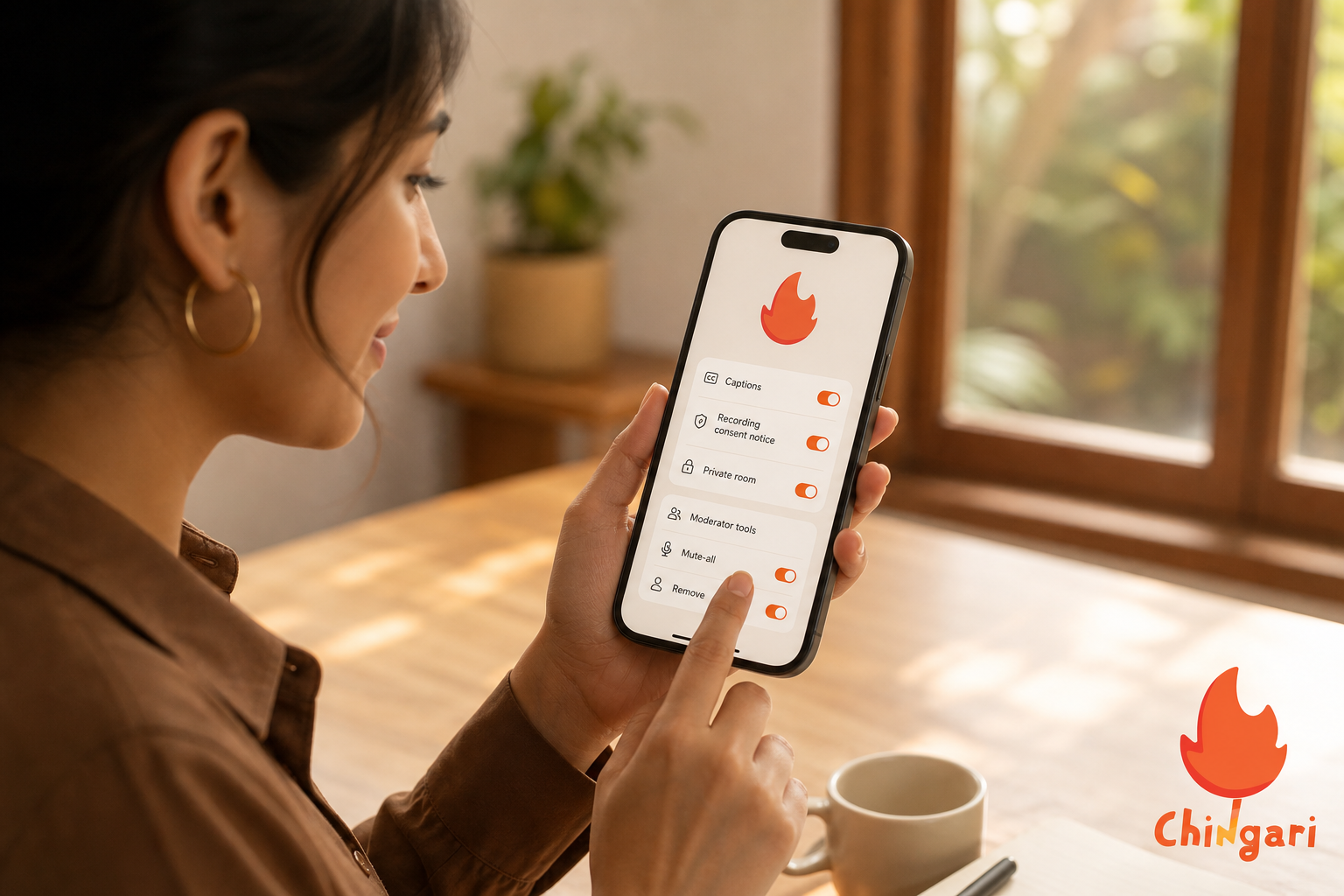
Private mode. For problem sets or small‑team projects, prefer private rooms with invite links rather than open halls. Rotating host permissions prevents the group from depending on one person’s account or calendar. If you use a shared server (Discord/Telegram), create a private channel where links and summaries persist between meetings. Keeping logistics centralized prevents last‑minute scramble.
Data minimization. Avoid sharing IDs, grades, or personal details on mic; use pinned, anonymized docs for sensitive questions. When collaborating on assignments, refer to problem numbers rather than pasting entire prompts if academic integrity rules apply. Redact screenshots before pinning. A quick privacy review before you post saves headaches later.
Campus norms. Check your university’s academic integrity policy before discussing active graded assignments, lab answers, or take‑home exams. Many campuses permit general strategy talk but not specific solutions during open assessment windows. If you host a review, clarify “no live solutions, strategy only” to stay compliant. When in doubt, invite a TA or tutor to set guardrails.
Moderation logs. If your platform offers audit logs for kicks, mutes, and pin changes, keep them enabled. These records help resolve disputes calmly and demonstrate fair process if a participant complains. For clubs, a light governance doc that links to logs can prevent drama. Transparency builds trust and steadies growth.
Also Read!
Best Live Audio Rooms for New Creators in 2026
Chingari vs Clubhouse for College Students: Which Is Better for Live Audio Rooms?
Key Takeaways about live audio chat rooms
Audio fits college life because it is lightweight, doesn’t require a camera, and supports quick check‑ins after late lectures or during commutes. Start by listening and then contribute one clear point. Concise speakers earn trust and are invited back more often. Keep rooms short, post simple rules at the top, and recruit a co‑host to manage flow so content remains the focus. Try two platforms early, judge by real turnout and the quality of moderation tools, and then commit to the one your classmates actually open first.
As you host, name rooms precisely for discoverability. “BIO110 Labs Week 4” beats a vague “Study Chat.” Frame outcomes in your titles (“Leave with 2 solved integrals”) to improve attendance quality. After each session, write a single‑line recap; those lines become an invaluable cheat sheet at finals time. Over weeks, your cadence and clarity create a habit that lifts the whole cohort. Small, steady actions in live audio chat rooms compound faster than perfect plans that never launch.

Live audio chat rooms: What to Do This Week to Get Started
You don’t need a semester to figure this out. You need five days and a plan. Moreover, keep your scope small. With live audio chat rooms, small wins stack fast.
Consistency beats complexity. One clear session at the same time each week will build momentum without burning you out. Anchor your rhythm to an existing habit (e. g., right after your 4 PM lecture) so it’s easy to remember.
5-day quick-start plan for live audio chat rooms
Day 1: Tonight (10 minutes)
Tonight (10 minutes). Download one Android or iOS app and create a student‑clear profile that lists your university, year, and two interests so hosts know who you are. Follow three hosts in your field to learn from how they title, structure, and close their rooms.
Add a single line in your bio, “Looking for study partners for [Course Code],” so the right people can find you fast. Turn on notifications for your chosen hosts so you see how they pace sessions and announce agendas. Optional but wise: test your mic with a friend in a private room and adjust input gain until your voice is clear but not loud or distorted.
Mini‑to‑do for tonight:
- Add 3–5 tags to your bio.
- Pin a shared doc or note link.
- Join one room silently for 60 seconds to hear the flow.
Day 2: Tomorrow (20–30 minutes)
Tomorrow (20–30 minutes). Join one room as a listener and take a single note you could teach back in one minute; this primes you to contribute succinctly when invited. If you speak, ask one tight question and thank the host. Aim to keep your mic time under 30 seconds unless asked to elaborate. If you’re unsure whether your question fits, preface with, “Context: Calc I, chain rule, one 15‑second question; okay to ask now?
Afterward, DM the host a brief thank‑you with one suggestion for a future topic; thoughtful notes open doors and earn future invites. Save your best takeaways to your pinned doc so your credibility compounds.
One note you can teach in one minute beats five messy notes you never revisit.
Day 3: By Wednesday (15 minutes)
By Wednesday (15 minutes). Draft your study hall title and agenda, such as “ECON 101.” Add three simple rules and a start time with your time zone directly in the description so late joiners stay aligned.
Prepare one example problem and one “stretch” challenge to serve both beginners and advanced classmates. Write your opener: your name, class, goal, and how questions will work, so you can deliver it calmly. Draft your closer as well: “Two solved problems today; next week: equilibrium practice.
Sample openers you can copy:
- “Hi, I’m Maya, ECON 101 Section B. Goal today: nail elasticity with two worked examples. 25 minutes focus, then Q&A.
- “Arun here, BIO110 lab recap. We’ll clarify buffers and pH. Raise hand for specific questions; we’ll prioritize lab partners first.
Day 4: Thursday (10 minutes)
Thursday (10 minutes). Promote in two group chats, your dorm channel and your class forum, and share a reminder 15 minutes before the room to catch both planners and spontaneous joiners. In your post, highlight the benefit (“Leave with 2 solved elasticity problems”) rather than only the topic. Outcomes sell time.
Ask a friend to like or comment so the post stays visible in fast‑moving chats, and include a calendar invite link if possible. People attend what’s on their calendar. If your campus uses an LMS, drop the link and agenda in the discussion board to escape chat scrollback. Screenshot your post for reuse next week; consistency beats novelty.
Quick promo checklist:
- Clear title with time zone.
- One‑sentence benefit.
- Join link + calendar link.
- Teaser for next week.
Day 5: Friday (40–60 minutes)
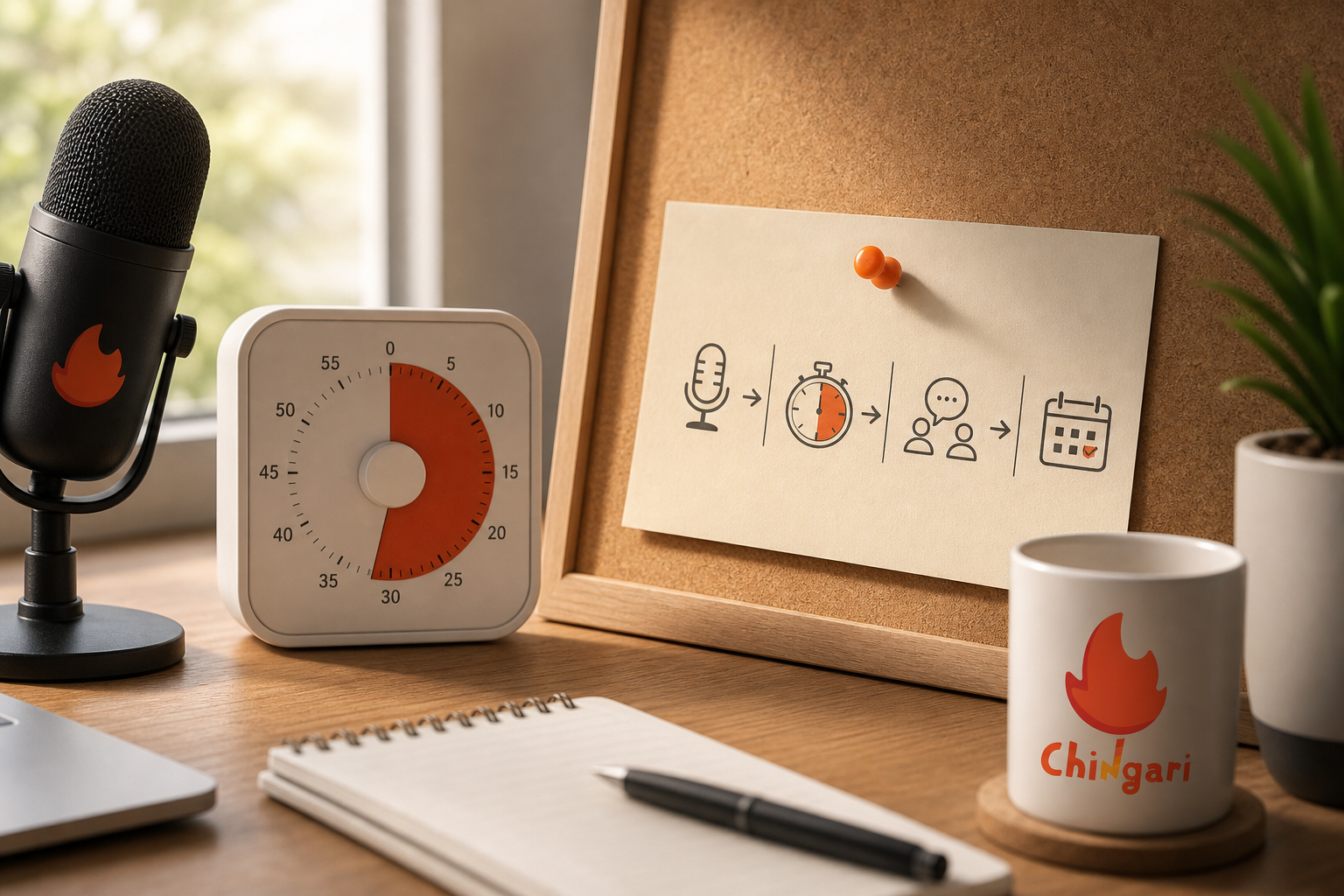
Friday (40–60 minutes). Host your first study hall with 3–5 friends in a private room to get reps without pressure. Use a simple timer to keep segments tight, call on first‑timers early, and pin your doc before the first question so you’re not fumbling for links mid‑flow. End with one concrete action, e. g., “Try Problem 6 before bed; share your trick in tomorrow’s thread,” so progress continues off‑mic.
After the session, write a one‑line recap, schedule next week’s session at the same time, and jot two improvements for next time (“pin agenda earlier,” “invite a co‑host to manage hand‑raises”). Small refinements compound into smooth, reliable rooms.
Bonus: Weekend (20 minutes)
Weekend (20 minutes). Try the same format on a second platform to compare hand‑raise flow, pin tools, audio quality, and how quickly your friends can find you. Notice whether the app drains your battery, how captions perform, and whether background audio behaves during multitasking. These details matter during exam season.
Based on turnout and your comfort with the tools, pick one platform to commit to for the next three weeks. Screenshot your best pin layout and agenda template so you can reproduce them quickly each session. Announce your choice and recurring time in the same places you promoted before to reinforce the habit.
Lock It In: Next Week’s Cadence
Finally, lock next week’s time. Consistency grows rooms more than perfect titles or last‑minute hype. Send calendar invites to your core group so automatic reminders do the heavy lifting, and consider creating a recurring room title with week numbers, “BIO110 Study Hall.
Week 3,” so people recognize continuity at a glance. Keep a simple spreadsheet or doc with date, topic, attendance, and one key learning; patterns will guide your next topics and reveal what your peers value. Over a month, you’ll see which formats, durations, and prompts deliver the best results for your campus.
**Download free on Android today →
-
0–5: Intros + rules recap
-
5–25: Silent work block on two assigned problems
-
25–35: Walkthrough of tricky steps
-
35–40: Recap + action item
-
Language exchange (45 minutes)
-
0–5: Greetings + language level check
-
5–25: Topic prompts in Language A
-
25–40: Topic prompts in Language B
-
40–45: Vocabulary recap + resources
-
Club planning (30 minutes)
-
0–3: Agenda + goal
-
3–15: Updates round‑robin (1 minute each)
-
15–25: Decision on top issue (vote in chat)
-
25–30: Assign tasks + confirm next date
Always pin the agenda and the “who/what/when/where” at the end. It’s the glue that turns a fun chat into forward motion.
Micro‑scripts you can use on mic
Openers:
- “Welcome, everyone. We’ll keep this to 45 minutes. Raise your hand with a specific question, and we’ll batch them.
- “Quick rules: mute on join, stay on topic, two‑minute turns. We’ll do a recap at the end.
Transitions:
- “I’m going to park that question and circle back after the main topic.
- “Two more on this thread, then we’ll open to lightning Q&A.
Closers:
- “Action items are pinned. Try the practice set before Sunday. We’ll reconvene next Friday, same time.
- “Recording and notes are in the link above. Thanks for keeping this respectful and focused.
Troubleshooting quick hits for live audio chat rooms
If audio lags:
- Switch to low‑data mode if available.
- Turn off Bluetooth and use wired earbuds.
- Move closer to your router or switch to cellular.
If room goes off‑topic:
- Restate agenda and time left.
- Invite one last relevant question, then transition.
- Use the co‑host to take side‑questions in chat.
If speakers talk over each other:
- Enable hand‑raise queue.
- Call names in order and enforce two‑minute turns.
- Mute all briefly, then reset with rules.
If trolls appear:
- Mute and move to listeners immediately.
- Remove and, if needed, block.
- Remind the room of reporting tools and your code of conduct.
Equipment and environment tips that boost clarity
- Use a headset mic. Laptop mics pick up room echo and typing sounds.
- Sit in a soft room. Curtains, carpets, and clothes reduce reverb.
- Keep water nearby. Dry mouth makes you sound rushed.
- Turn off notifications on your speaking device. Pop‑ups distract and can leak private info.
Growth loops for student rooms
- End with a poll in chat: “Rate today’s clarity 1–5.” Use results to tweak pacing.
- Rotate facilitation. Invite a different co‑host each week to spread ownership.
- Highlight wins. Start each room with one quick success from last week.
- Create a “newcomer pack.” One pinned message with rules, agenda template, and links.
Small, repeatable systems beat heroics. Consistency makes your room the default place to learn.
 Live Audio Chat Rooms: Best for New Creators (2026)
 Live Audio Chat Rooms: Chingari vs Twitter Spaces 2026