



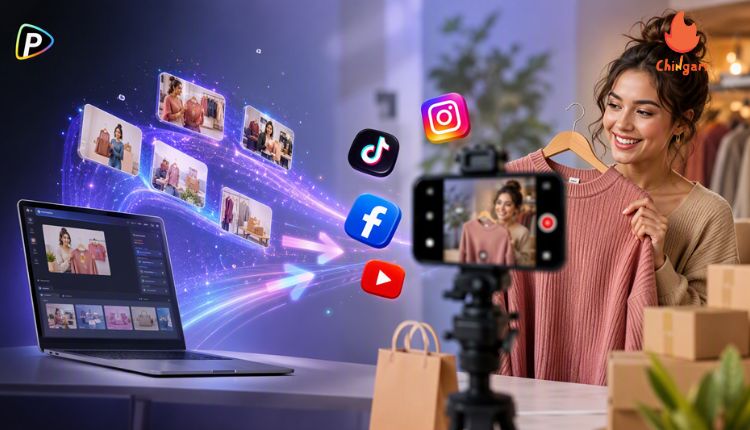
Store owners often need short videos to introduce products, promote special offers, or encourage customers to visit. However, filming and editing new content for every campaign can take time.
The Pollo AI video generator allows businesses to create videos from text descriptions or existing images. A store can animate a product photo or describe a new scene when suitable visual material is unavailable.
For social media promotion, the video does not need to be complicated. A clear product, a simple message, and a suitable format are often enough.
How to Create a Store Promotion Video with Pollo AI
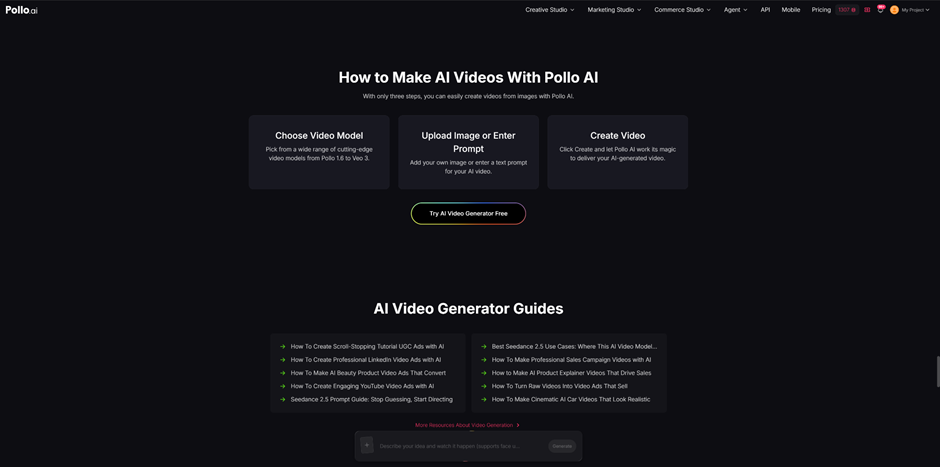
1. Choose One Product or Offer
Each video should focus on one main topic. A bakery could introduce a new cake, a café could promote a seasonal drink, or a clothing store could highlight one outfit.
Before using the Pollo AI video generator, the business should turn the promotion idea into a clear scene. Instead of writing:
The idea should be turned into a clear scene before generation. Instead of writing: Promote our bakery.
the business could write:
A baker places freshly baked croissants on a wooden counter. The camera slowly moves closer as warm morning light fills the shop.
This explains what viewers will see and how the scene should look.
2. Select Text-to-Video or Image-to-Video
The workflow depends on the materials available. Within Pollo AI, the Steve AI video generator can also be considered when selecting a video creation tool for a specific project.
Image-to-video is useful when the store already has a clear product photo. The image provides the visual reference, while the prompt describes the movement.
For example:
The camera slowly moves around a glass of iced coffee. Condensation appears on the glass, with soft afternoon light and a clean café background.
Text-to-video can be used when there is no suitable image. The business can describe the product, setting, action, and visual style directly.
3. Write a Clear Prompt
The prompt should describe the scene rather than only state the marketing goal.
For example, “Create a video for our clothing store” does not explain what should appear. A clearer version would be:
A customer selects a linen shirt from a display in a modern clothing store. The camera follows smoothly with bright natural lighting. Vertical social media video.
Simple details usually work better than long descriptions. The prompt can include the main subject, location, action, camera movement, and lighting.
4. Generate and Refine the Video
After entering the prompt or uploading an image, the business can select an available model and generate the video. Different models may produce different visual styles and movement.
The result should be checked before use. If the product is unclear or the movement is unsuitable, the prompt can be adjusted and generated again.
For example, the business could add: Keep the product in clear focus.
or: Use slow and steady camera movement.
5. Add Store Details and Publish
After the video is generated, the business can add the store name, promotion dates, prices, location, or a short call to action.
Important details should be added during editing and checked before publishing. Text generated inside a video may not always be accurate.
The video format should also match the platform. Vertical video is commonly used for TikTok, Instagram Reels, and YouTube Shorts. The final post can include a short caption with extra details, such as opening hours or promotion terms.
Use the Videos as Part of a Regular Content Plan
The same process can be used for new products, seasonal promotions, limited-time offers, or short introductions to the store.
Rather than creating one long advertisement, a business can publish several short videos throughout the month. For example, a bakery might show a new pastry one week, promote a weekend offer the next, and share a short preparation scene later.
Each video can focus on one product or message. This keeps the content easy to understand and gives the business more opportunities to test what attracts views, comments, saves, or customer inquiries.
Conclusion
The Pollo AI video generator gives store owners a practical way to create social media videos from product images or written ideas. The process can begin with a clear promotion, followed by a suitable workflow and a prompt that describes the scene and movement.
For better results, each video should focus on one product or offer, use simple visual instructions, and include accurate store information before publication. By repeating this process for regular promotions, businesses can build a steady stream of social media content without filming every video from the beginning.
 Indian Users
 Best Short Video Sharing for College Students