




For college life in 2026, live audio chat rooms make it easy to gather classmates, de-stress, and collaborate without turning on a camera. This guide shows you what to look for, compares leading apps, and explains how to get started fast, so your next study session or club hang actually happens.
Then there’s the language gap. On global or Indian campuses, your group might blend Hindi, English, Bengali, Marathi, or Tamil. A one‑language app makes people switch to DMs or leave mid‑chat. That kills vibe and momentum.
Privacy worries also loom large. You may be sharing class takes, campus event details, or blurbs that link to your real name. If an app feels sketchy with data, you won’t host or speak. And if moderation tools are weak, open rooms get messy fast.
- Fragmented groups: friends on different campuses, time zones, and apps
- Camera fatigue: you want voice-first, not another on‑cam call
- Language hurdles: mixed‑language friend circles need real support
- Data anxiety: unknown platforms can mishandle your info
- Safety: rooms need tools for mutes, blocks, and quick removes
Finally, cost and data caps matter. Even a “free” app that chews through 2 GB on a commute gets uninstalled. Therefore, students look for free access, low data use, and mobile‑first controls that work on shaky dorm Wi‑Fi.
Accessibility is also a practical barrier. If captions, transcript options, or screen reader labels are missing, some friends can’t participate. A good audio platform should include accessible UI, simple keyboard navigation (where supported), and options like adjustable text or high-contrast themes.
The Bottom Line
You’re not being picky. You’re matching real campus life, quick joins, mixed languages, and safe chats that don’t nuke your data. The right app solves those frictions, not adds to them. And since it’s 2026, you also expect a scene that isn’t empty next week.
What to Look for in a Live Audio Room App as a Student
The best pick isn’t the trendiest logo. It’s the app you and your friends open five nights in a row. To get that, judge apps on the basics you can feel in week one and the guardrails you’ll count on all term. For clarity, we’ll call these buying criteria “must‑checks.
First, confirm multi‑language support. On diverse campuses, 10+ languages mean your crew can host rooms in the tongue that feels most natural. This isn’t a “nice to have.” It’s the bridge that keeps friends from slipping out to a side chat.
Second, review data protection and security measures. You don’t need to be a CIS major to expect a clear privacy stance. Look for plain‑English policies, easy tools to report users, and moderation controls for hosts. If you’re sharing campus life, your app should treat your data as yours.
Third, check community size and activity. A big download number means nothing if rooms sit empty. You want proof of scale (for example, Over 50 million users or 1.6 billion views on the platform) and live room density in your time zone. Therefore, join at peak hours and scroll. Do you see study rooms, club events, and open mics?
Fourth, demand free access and mobile‑first design. A student pick should work well on a mid‑range Android or iPhone and run clean on spotty Wi‑Fi. In addition, it should be easy to create, host, mute, and bring speakers up from the same screen.
Fifth, look for variety beyond chat. Live audio rooms handle hangs. But short video highlights and live video streams fill the rest of your week, quick recaps, event promos, and club intros. As a result, you can grow a scene, not just talk in it.
- Must‑checks for student use:
- Multi‑language support (Available in 10+ languages)
- Data protection and security measures you can understand
- Active rooms at your peak hours
- Free to download and use
- Mobile‑first design that feels smooth on average data
- Strong host tools: mute, invite to speak, remove, and report
- Content variety: audio rooms plus clips or live video
- Low data usage settings and audio‑only join
- Optional recording/replay with clear consent indicators
- Accessible design: captions/transcripts (where available), readable UI, and screen reader labels
- Clear community guidelines and fast abuse reporting
- Battery saver modes and sensible default audio quality on mobile data
Quick test you can run this week
Create a study room, set the title in your preferred language, and invite three friends in different dorms. Then add a short clip previewing the session. If the app makes all that smooth on mobile, you’ve found a keeper.
Also try this: toggle data saver, start on campus Wi‑Fi, then walk onto 4G/5G while hosting. If your audio stays stable and your friends can still request the mic without lag, you’re in good hands.
How Chingari’s Live Audio Rooms Solve These Problems
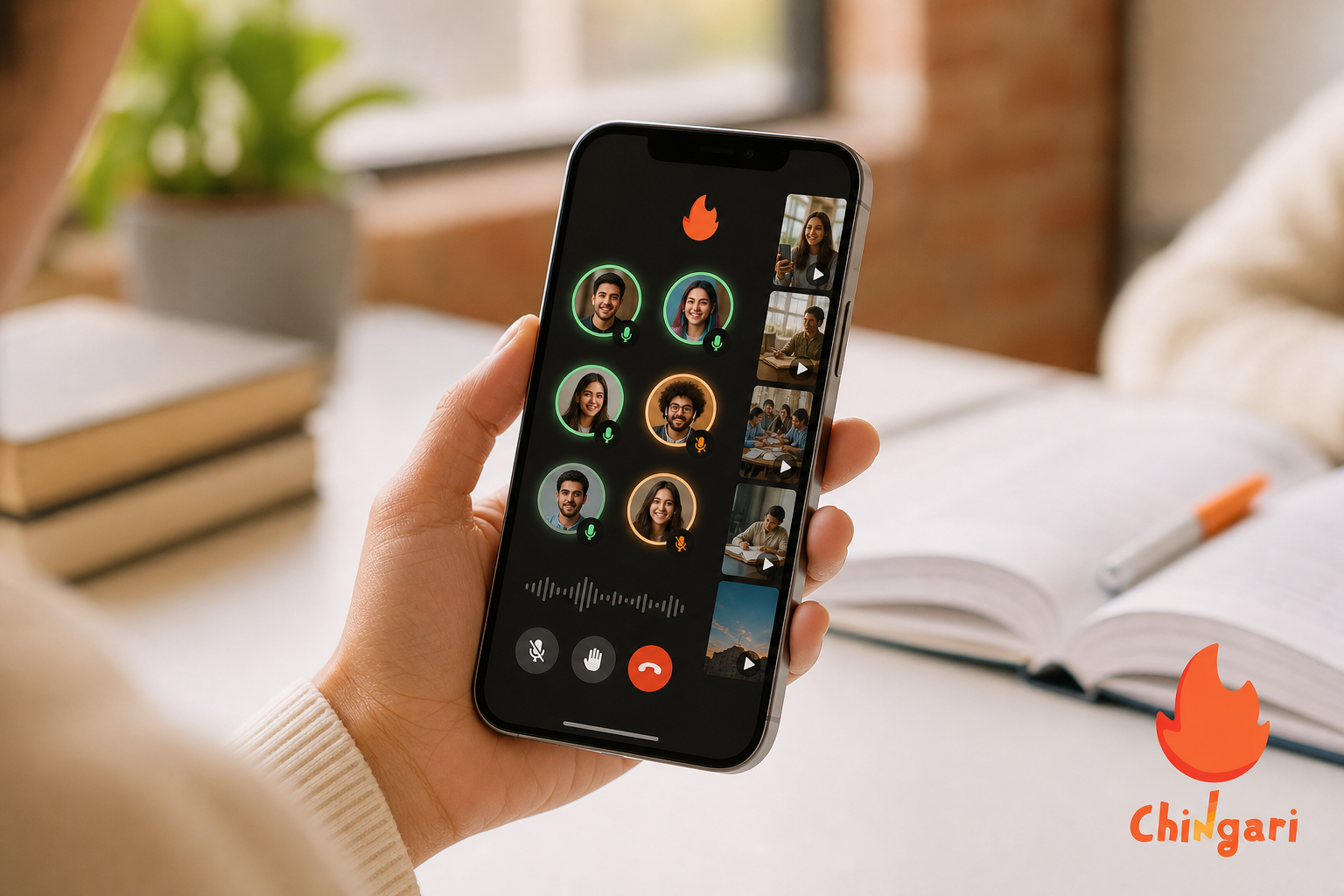
Now let’s map the pain points to real features you can use. Chingari was built for short videos, but it now blends live audio rooms, live video streaming, and short video sharing in one place. That mix covers your study block, your open mic, and the hype clip that draws a crowd.
For study groups, you can spin up live audio rooms with a clear title like “ECE 201, midterm Q2 review.” Moreover, you can bring speakers up fast, mute side noise, and post a short video with key notes so late joiners catch up. Because it’s Available in 10+ languages, you can run the room in the language your group wants without splitting chats.
For talent sets or club nights, pair audio rooms with live video streaming. Start with a live clip to tease the set, then switch to voice for the back‑and‑forth. As a result, you get both the vibe of a live show and the ease of talk radio. After the event, post short video highlights to keep the thread alive.
For casual hangs, you can start a room with a laid‑back title and let people drop in and out. That solves the “we should hang” text that never happens. And with data protection and security measures in focus, you can set the tone and feel safe bringing new people on stage.
Scale matters too. With 6 billion views on the platform, you’re not shouting into the void. You can find spaces that match your energy at 11 p. m.
on a Tuesday or 9 a. m. before lab. That density keeps rooms lively and gives clubs a real audience for events.
“We needed one app for study, sets, and hype reels. Chingari felt active by week two.” — Third‑year CS major, Mumbai
Therefore, if your circle spans Hindi, English, Marathi, or Bengali, you don’t have to force a single language or bounce to other apps. You can run the full loop, preview with clips, meet in live audio, and recap with highlights, without sending people all over.
Beyond the room flow, practical touches help:
- Data saver: prioritize voice clarity on mobile data while keeping usage low.
- Host toolkit: invite to speak, hand‑raise queues, mute all, remove/ban, and quick report.
- Discovery: trending clips and live tiles push active rooms, so new attendees can find you with less promo work.
- Privacy controls: choose who can request the mic, limit DMs, and update visibility on the fly if a session needs to go private mid‑conversation.
Chingari vs. Clubhouse vs. Twitter Spaces
If you’re deciding between familiar names, compare them by what you’ll actually do each week, study, perform, promote, and hang, then pick the place that makes those loops effortless.
**Get the Free iOS App → centers on audio too and leans on your follower graph. If you want one app for hype clips, live sets, and voice chats, Chingari’s integrated stack cuts friction.
Second, language reach. Chingari is Available in 10+ languages. That’s key for India and international campuses. Clubhouse and Twitter Spaces skew more English‑centric in many student circles, though you can still find multilingual rooms by search.
Third, scale and engagement. Chingari shows social proof with Over 50 million users and 1.6 billion views on the platform. Clubhouse and Twitter Spaces have reach through brand name and, in the case of Twitter Spaces, your existing followers. If your scene already lives on Twitter/X, Spaces might pack a room faster in the US or UK.
Fourth, access. Chingari is free to download with no hoops. Clubhouse started with an invite culture and is broadly open now. Spaces is part of Twitter/X accounts, so your handle and follower graph guide discovery.
| Student Fit Check | Chingari | Clubhouse | Twitter Spaces |
|---|---|---|---|
| Media Types | Audio rooms + live video + short videos | Audio rooms | Audio rooms |
| Language Support | Available in 10+ languages | Strong English presence; multilingual rooms exist | Strong English presence; multilingual rooms exist |
| Discovery | App‑wide communities; trending clips + rooms | Topic‑based rooms | Follower graph‑driven |
| Engagement Proof | 1.6 billion views; India’s #1 Social Networking App | Active in bursts | Leans on your followers |
| Campus Presence | Strong in India and international student scenes | Strong in niche audio communities | Strong on Western campuses tied to Twitter/X |
| Privacy & Safety | Data protection and security measures | Standard host tools | Standard host tools |
Therefore, the practical call is this:
- If your circle spans Indian campuses or international students and you want one place for audio + video + clips, Chingari is the most convenient pick.
- If your club already runs threads on Twitter/X and your host has reach, Spaces can fill seats fast in US/UK time zones.
- If your group loves audio‑only culture and topic rooms, Clubhouse still scratches that itch.

Trust, Security, and Credibility for Student Users
You should not have to guess if a platform will still be here next term. Chingari is established, recognized as India’s #1 Social Networking App, and shows real community scale. With Over 30 million users noted in its core stats and Over 50 million users across the broader community, you have proof that people stick around.
Security and privacy come up in every student survey we hear. Chingari emphasizes data protection and security measures. That includes a clear focus on privacy settings and controls designed for everyday creators and room hosts. As a result, you can host open rooms without feeling exposed.
Install base matters too. With 1.3 crore Play Store downloads, you can expect your friends on Android to join without friction. Moreover, that install count helps clubs and societies run cross‑campus events without asking people to install a brand‑new, untested tool.
Moderation tools and reporting flows are essential for safety.
Set speaking permissions (request to speak or invite-only). – Mute all or individual attendees instantly.
Remove or block disruptive users and prevent re-entry. – Share room rules in the description so expectations are clear. – Trigger quick report options so platform safety teams can act.
Social proof isn’t the only trust marker, but it keeps rooms alive. Pair that with multilingual access (Available in 10+ languages), and you get an app that respects how student life actually flows, mixed languages, quick joins, and voice‑first rooms that don’t demand your camera. Therefore, you can build a weekly cadence that feels safe and real.
How to Get Started with Chingari’s Live Audio Rooms
You don’t need a workshop to host your first room. You can go from download to live in five minutes. Here’s the playbook that works for study sessions, club events, or casual hangs.
Step 1: Download the app
Android: Install from the Play Store.
iOS: Install from the App Store.
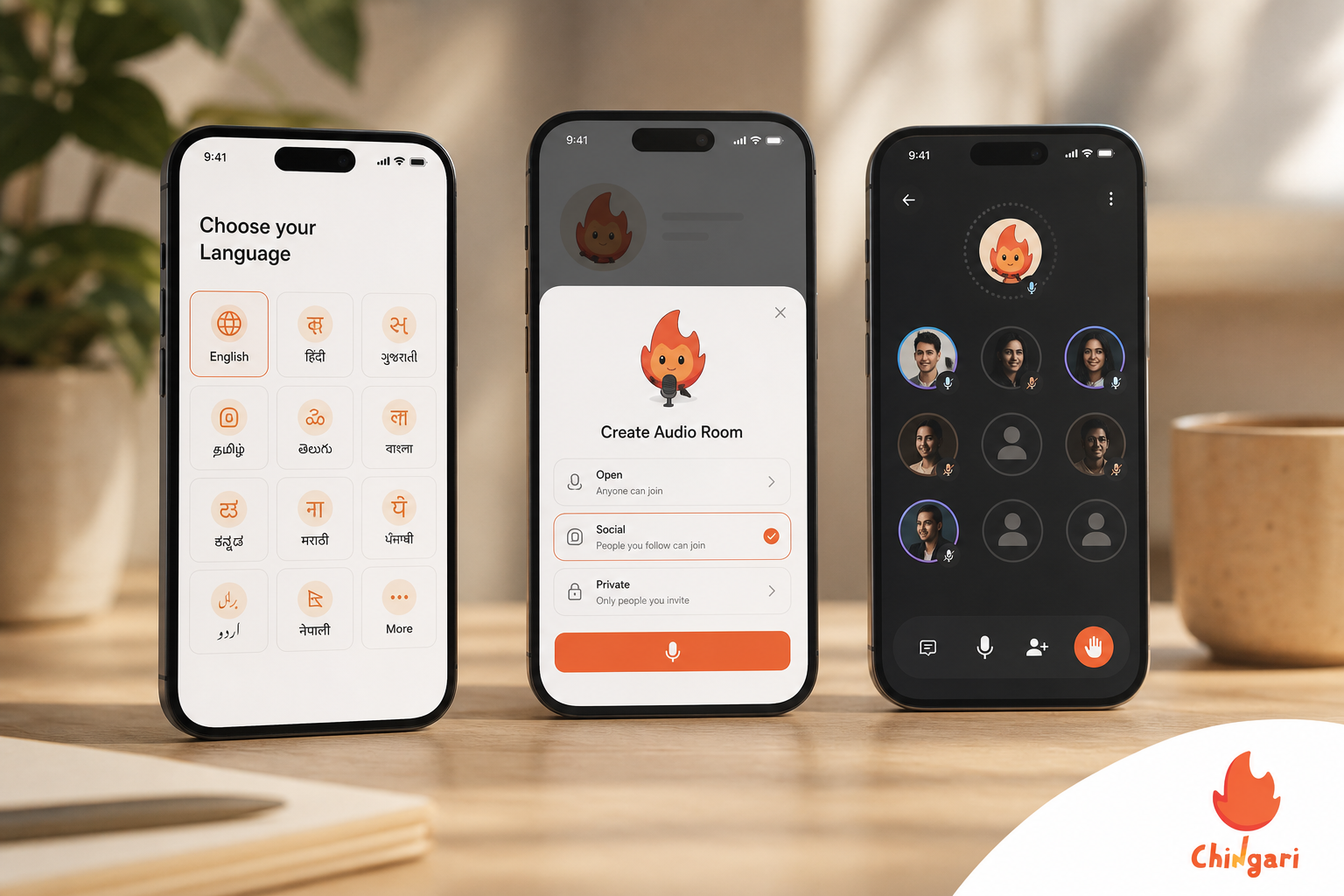
Step 2: Set your language
Tap profile → Settings → Language.
Pick your primary from Available in 10+ languages. Add a second if your group is mixed.
Step 3: Join a room
Hit the Live tab.
Browse titles by topic. Join muted, listen, then request the mic.
Step 4: Create your first room
Tap Create → Live audio room.
Add a clear title like “Chem 101 Exam 1 — Chapters 3–4.
Set visibility and basic rules in the description.
Step 5: Host with intent
Start on time. Bring two speakers up early.
Use mute/hand‑raise to keep flow. Rotate speakers every 5–7 minutes.
Step 6: Add a short video
Post a 15–30 second clip with key points or an event teaser.
Drop the link into your room description so late joiners catch up.
Step 7: Close with clarity
Recap next steps in 30 seconds.
Post a highlight clip with your next room time.
Step 8: Optimize for data and battery
Turn on data saver and choose audio‑only if your connection dips.
Lower notification volume and screen brightness to extend battery during long hangs.
Step 9: Boost discoverability
Use clear, searchable titles (course code, club name, topic).
Share the room link to class or club groups 15 minutes before start.
Step 10: Keep it inclusive
Mention language(s) in the title or description.
If available, enable captions/transcripts and summarize every 10–15 minutes for late joiners.
Frequently Asked Questions
Is Chingari free to use for college students?
Yes, Chingari is free to download and use. Live audio rooms and short video features are available at no cost. There’s no student discount to hunt down because the core experience is already free. Therefore, you can try it with your group today without paying.
Can I use Chingari’s audio rooms if I don’t speak Hindi?
Yes. Chingari supports 10+ languages, so you can find and host rooms in the language that fits your crew. For mixed groups, you can note both languages in the room title or description. That way, people know what to expect before they jump in.
How does Chingari compare to Clubhouse for students?
Chingari gives you audio rooms plus short video and live streaming in one app, which keeps your event loop in a single place. It supports 10+ languages and has 50M+ users for scale. Clubhouse is audio‑only and tends to be more English‑centric in many student circles. If you need clips and live video along with voice, Chingari is the simpler choice.
Is my data safe on Chingari?
Chingari emphasizes data protection and security as a core focus. You get privacy controls and tools that help you manage who speaks and what stays visible. This matters when you share class notes, event details, or any personal content. As a result, you can host without second‑guessing your safety.
Can I use Chingari for study groups and academic discussions?
Yes. You can create a live audio room for any topic: study groups, exam prep, project talks, or casual campus hangs. There’s no minimum audience to start, so even three people can get a focused hour in. Moreover, short video highlights help late joiners catch up fast.
Is Chingari only for users in India?
No. While Chingari is India’s #1 Social Networking App with 30M+ users noted in its stats, it’s available on global app stores. International students and campuses abroad can download it and host rooms. Therefore, it works well for cross‑border friend groups.
What makes live audio rooms better than group video calls for students?
Audio rooms cut the stress of being on camera, which reduces Zoom‑style fatigue. They also use less data and let you drop in or out as your schedule shifts. In addition, you can listen while walking to class or cooking. That flexibility fits student life better than uniform on‑cam calls.
Are there alternatives to Chingari for live audio?
Yes. Twitter Spaces and Clubhouse are alternatives focused on audio rooms. However, Chingari’s multilingual support, integrated video features, and 50M+ user community offer a more versatile student experience. If you need one app for clips, live sets, and voice, that blend helps.
Do live audio chat rooms on Chingari support replays or recordings?
Functionality can vary by event, but hosts can choose whether to make sessions available later using highlight clips or summaries. If recording/replay is enabled, look for clear consent indicators in the room so everyone understands what’s being captured.
How much data does a typical live audio session use?
Usage depends on connection quality and settings. With data saver enabled and audio‑only mode, a 60‑minute session can be kept relatively light compared to video calls. For the lowest footprint, join on Wi‑Fi when possible and keep your screen dimmed while listening.
What moderation tools do hosts have during a room?
Hosts can invite to speak, approve hand‑raises, mute individuals or all participants, remove or block disruptive users, and file quick reports. Posting short room rules in the description and rotating speakers every few minutes also helps keep discussions respectful and on‑track.
Can I join from a low‑end phone or older device?
Chingari is built mobile‑first and runs on these Android and iOS devices. Use data saver mode and audio‑only join on spotty networks. Even on older phones, you can listen, request the mic, and share short clips without heavy battery drain.
Can clubs link rooms to event promos or calendars?
Yes. Many student clubs create a short teaser clip, add the next room time in the description, and share the room link to their group chats and calendars. The combination of clips + live audio rooms helps build a reliable weekly cadence that members remember.
Final Takeaways for 2026
- Pick the tool your crew will open all week, not just the one trending on TikTok this hour.
- For multilingual campuses, a platform Available in 10+ languages with real data protection and security measures matters more than any single viral room.
- If you want audio rooms, live video, and short clips in one workflow, Chingari’s scale — Over 50 million users, 1.6 billion views on the platform, and India’s #1 Social Networking App — makes it a strong student pick.
- Run a 7‑day test: host two study sessions and one club hang, post a teaser clip for each, and check attendance and vibe. If it’s smooth and lively all week, you’ve found your home.
 The End of Fan Distance: How Chingari Live Call Is Rewriting the Creator-Fan Relationship
 Live Audio Chat Rooms: Chingari vs Clubhouse (2026)