




1.6 billion views is what short‑video creators on Chingari have crossed so far. Here’s how to find share new video status updates fast in 2026: scan trending tags, trim to 15–30 seconds, keep 9:16 vertical, export, and post. That’s the whole playbook, and it works because status feeds reward fresh, short, and simple clips.
You want something that doesn’t look like everyone else’s post from last week. So we’ll keep this guide light, hands-on, and built for speed. You’ll get a step-by-step flow, common pitfalls to dodge, and a shortlist of sources that surface gems in English and Hindi.
By the way, tools like Chingari are a short video sharing platform built for India, recognized as India’s #1 Social Networking App. The community is large (over 30 million users), which means you’ll see fresh ideas daily in 2026 and beyond. We’ll use that scale to your edge, not drown you in it.

What Exactly Is a Video Status and Why Does Everyone Want New Ones?
Think of a video status as a tiny story you share for a day. It lives in places like WhatsApp Status, Instagram Stories, and similar sections across short‑video apps. The clip is brief, fast to watch, and built for the phone screen. New clips hit harder because they feel real and in‑the‑moment. Old ones, shared a dozen times, feel stale.
A fresh status also says, “I’m here, now.” It shows the song you’re into, the joke you just saw, or the mood you carry today. In India and beyond, this spans Hindi shayari, Punjabi beats, Tamil movie lines, or a simple English caption on a sunset shot. That mix of language, music, and mood is why you keep watching.
Formats that work are simple. Short 15–30 second clips land best. Lyrical videos pair a chorus hook with on‑screen text synced to the beat. Mood-based statuses use a single vibe: calm, hype, festive, love, study, gym, or monsoon. The goal is a clean feel in under half a minute.
Moreover, the tech side is light. You shoot or save a vertical video (9:16), crop a bit, add text, and export. The “short video sharing platform” model makes this fast. As a result, one scroll can give you five great ideas in under a minute. And when the feed is lively, you ride that energy too.
- 30-second snackable clips: quick story, one point
- Lyrical videos: chorus + synced text + soft glow
- Mood-based statuses: one vibe, one filter, done
How to Find and Create New Video Status Updates — Step by Step
Here’s your no‑frills routine for fresh posts that don’t look recycled. Follow it start to finish the first time. Then, save it, and you’ll do the whole thing in five minutes flat next time.
First, browse trending hashtags on short‑video apps. Open the explore page and search tags for your vibe: #monsoon, #studywithme, #shayari, #punjabisong, or a current movie title. In 2026, regional tags matter a lot because content is available in 10+ languages. Switch between English and Hindi terms to get a wider pool.
Second, use built‑in editing to trim and add text. Cut to the hook. Keep 15–30 seconds. Add a one‑line caption, like “Bas itna sa khwab hai” or “Late night focus mode,” and set it to show for only 3–5 seconds at a time. If you want deeper tips on smart cuts and music timing, check this guide for new editors: video editing effects music for new creators.
Third, match the video to mood or occasion. For a festival, pick bright color and a fast chorus. During study or work, go low‑contrast and lo‑fi beats. When it’s love or shayari, soften highlights and add gentle text fades. In addition, check regional content to find lines that speak to your friends: Indian language video for new creators.
Fourth, export in a vertical format. Use 9:16 (1080×1920) to fit phone screens. Keep audio at a clean level so voice and music don’t fight. Therefore, you won’t see black bars or odd crops in Stories.
Fifth, post or save to gallery. Share to Status now, or save the file for the right time slot (evenings get more eyeballs in many friend groups). Also, drop it in a “Status Ideas” album so you have backups on slow days.
Your 5-step checklist
1.
2.
3.
4.
5.
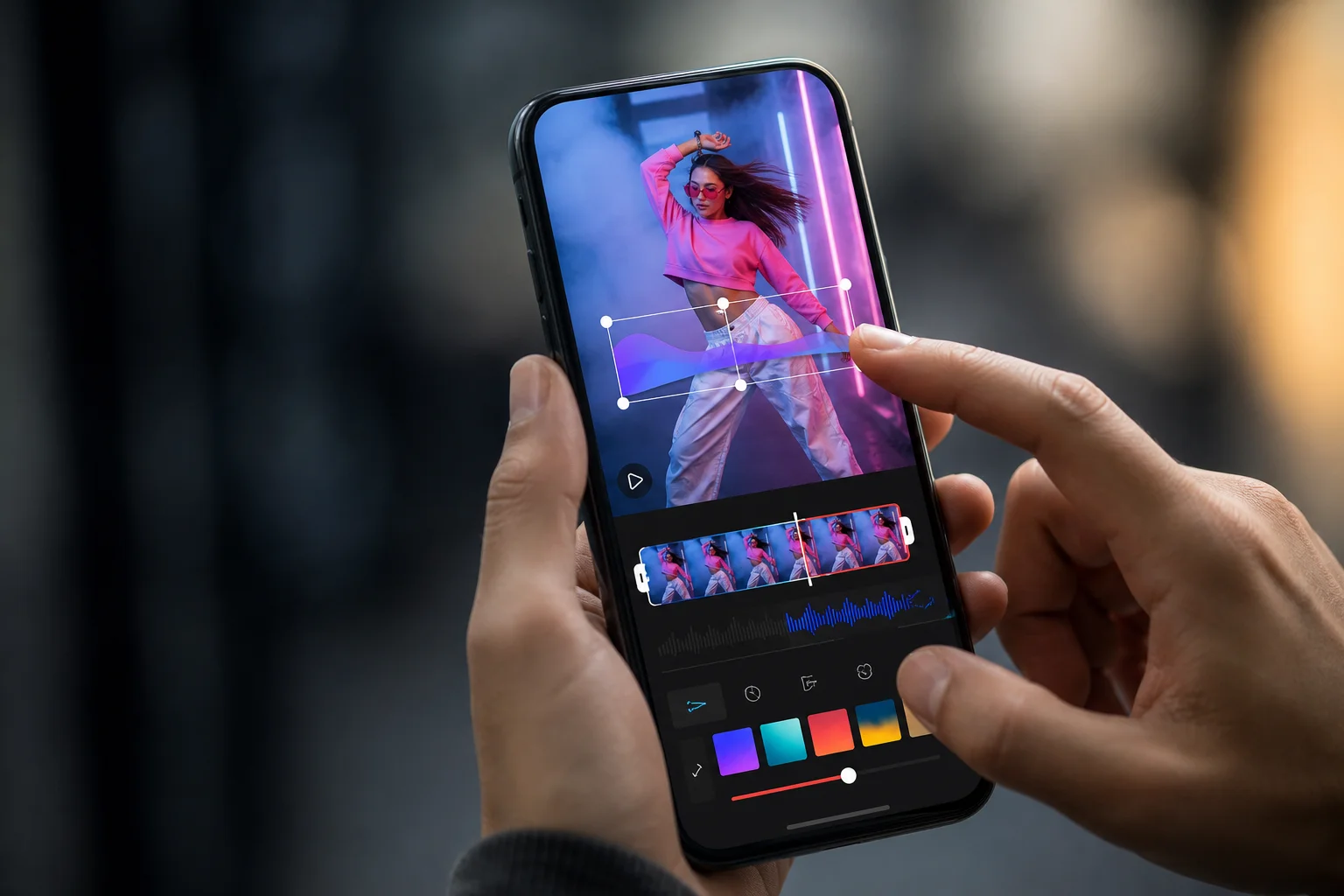
Furthermore, keep a small bank of go‑to ideas: a study loop, a late‑night drive clip, a festival wish, a gym PR moment, a chai time slow‑mo. You’ll rotate these with new music and captions. As a result, you’ll find share new video status ideas in under two minutes on busy days.
Also Read!
How to Choose the Best Short Video Sharing Platform as a New Creator
How to Share Short Videos as a Musician or Singer to Grow Your Audience
Common Mistakes People Make with Video Status Updates
You don’t need pro gear. You just need to dodge five easy mistakes that make statuses look off. The most common?
Low resolution. If you grab a blurry 480p clip and stretch it, it will look fuzzy. Instead, pick sources that export 1080×1920, then keep that size end‑to‑end.
Another big one is ignoring aspect ratio. A status is vertical (9:16). If you post 1:1 or 16:9 without smart crop, faces and text can fall off the frame. For a quick refresher on why aspect ratios matter, see the Aspect ratio (image) entry on Wikipedia. After you read that once, you’ll spot bad crops from a mile away.
Copyright also trips people up. Posting a full track without rights is risky. Many apps include built‑in, cleared music snippets that are safer to use. As a result, your post stays up, and your friends can tap the track to use it themselves. That share chain is how your circle grows.
Recycling outdated viral clips is another drag. If your friend group saw the same meme last month, it won’t land now. In addition, status posts that run too long lose people.
Past 30 seconds, drop‑off climbs. You don’t need the whole song. You need the hook.
Quick fixes you can apply today
- Shoot or export 1080×1920 to keep sharp detail
- Frame for 9:16 so faces and text stay centered
- Use in‑app cleared music instead of full tracks
- Swap out old memes for this week’s tags
- Keep it under 30 seconds for better watch‑through
If you keep those five in check, you will find share new video ideas that feel crisp, legal, and on‑time. Moreover, this is why short clips do well: they respect the viewer’s time.
Best Tools and Apps for Discovering Fresh Video Statuses
Let’s compare reliable sources so you spend time watching, not hunting. We’ll keep it neutral and fast, with clear pros and trade‑offs for each pick.
-
WhatsApp status saver apps
-
Pros: Pulls what your contacts already like; fast save‑to‑gallery
-
Cons: Can trap you in the same circle; quality varies by source
-
Instagram Reels explore
-
Pros: Massive supply; strong algorithm for “near your taste” finds
-
Cons: Many clips are horizontal crops; licensing varies per track
-
YouTube Shorts trending
-
Pros: Huge global pool; easy search by topic or lyric line
-
Cons: Mixed aspect ratios; longer clips need trimming
-
Platforms like Chingari for regional‑language clips
-
Pros: Recognized as India’s #1 Social Networking App; over 30 million users; available in 10+ languages; focus on data protection and security measures
-
Cons: So much content that you’ll want to save playlists to stay organized
-
Pinterest video pins
-
Pros: Great for aesthetic moods (study, decor, travel); handy boards
-
Cons: Music clearance is inconsistent; some pins link off‑site

Moreover, if you post in both Hindi and English, prioritize sources with language filters or tags. Therefore, you’ll collect mixed‑language clips in one pass rather than doing two separate runs. Finally, stalk the music trend pages. A chorus that’s up this week will give your status a built‑in lift.
To improve your sourcing even more, build a tiny rule: for every “viral” you save, also save one “underrated” clip from a niche tag. As a result, your feed won’t look like a copy of your friend’s feed. It will look like you.
What to Do Next — Build Your Video Status Routine
A routine keeps you posting with zero stress. Keep it light. Ten minutes a day is enough for individuals wanting to showcase their talent or just share a vibe with friends.
Start with a 3‑day cycle. Day 1: hunt two new clips (one Hindi, one English). On Day 2, edit both into 15–30 seconds with fresh captions.
Day 3: post the first, save the second for a slow day. Then repeat. Moreover, move your saved clips into a “Status Ideas” album so they’re easy to find.
Next, follow 3–5 creators who nail your taste. For Hindi lyrical lines, pick one shayari account and one song‑sync editor. For English vibes, follow one city‑night reel and one clean typography editor. Therefore, your feed turns into a daily moodboard.
Post less, but post fresher. One short, crisp status beats three stretched ones.
In addition, try one original status this week. Shoot a 7‑second chai steam close‑up, a gym rep PR, a study timer tick, or a rainy window. Then, add one lyric line or a simple “New week, new me” caption. If you’d like a primer on where to start as a beginner, these short video sharing for new creators resources can help.
Finally, if you’re curious about live formats, sample a session and then clip the best 10 seconds into a status. For deeper notes on going live, this guide is handy: live video streaming for new creators. It gives you more raw moments to trim later.
Key Takeaways
- New beats old: 15–30 second vertical clips with one clear mood win in Status
- Use language tags (Hindi + English) to double your idea pool in one scroll
- Export 9:16 at 1080×1920; bad aspect ratio and blur are instant skips
- Build a repeatable 3‑day cycle so posting stays stress‑free
- Mix one viral with one underrated find to avoid recycled vibes
 , Day 2 Edit (trim + text), Day 3 Post (evening slot), with icons for Hindi and English content)
What to Do This Week
Do one five‑minute run: find two clips (one Hindi, one English), trim both to the hook, export 9:16, and post the better one. Save the second for a slow day. Then repeat mid‑week. By Friday, you’ll have a small bank and a simple rhythm, and you’ll find share new video ideas on auto‑pilot from then on.
**Ask our team today →
Security and privacy note: Platforms like Chingari highlight data protection and security measures, and content is available in 10+ languages, which helps you source and post with peace of mind. Social proof also matters: the community scale (over 30 million users and 1.6 billion views) means a steady stream of fresh ideas you can adapt to your style in 2026.
 How to Choose Best Short Video App (2026 Guide)